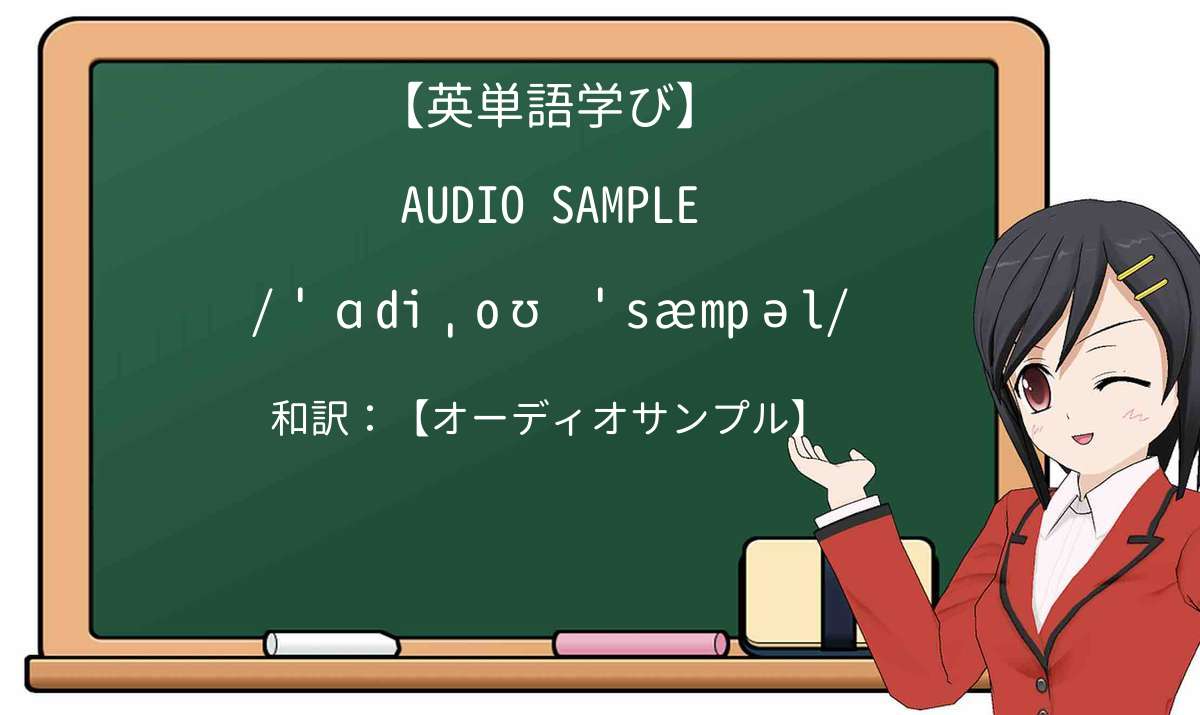
【英単語】audio sampleを徹底解説!意味、使い方、例文、読み方

【英単語】audio sampleを徹底解説!意味、使い方、例文、読み方

audio sampleの意味について

audio sample 」は2つの英単語( audio、sample )が組み合わさり、1つの単語になっている英単語です。

  • sample 」は【それがどのようなものかを示す少量の何か】の意味として使われています。
  • audio 」は【音の録音や再生に関して】意味として使われています。

意味:【オーディオサンプル】

参考:「audio sample」の例文一覧

例文
Depending upon the particular algorithm, acoustic fingerprints can be used to automatically categorize or identify an audio sample .
特定のアルゴリズムに応じて、音響指紋を使用してオーディオ サンプルを自動的に分類または識別できます。
【audio sample】に関するの例文(英語の例文と和訳)
例文
After the maker of the product complained of copyright infringement the audio sample was removed reducing the track length to 2:11.
製品のメーカーが著作権侵害を申し立てた後、オーディオサンプルは削除され、トラックの長さは 2:11 に短縮されました。
例文
An audio sample can be heard here.
音声サンプルはここで聞くことができます。
例文
Their music featured an abrasive industrial-dance sound, with funky, grind-hop drum loops overlain by harsh vocals and thought-provoking audio samples from various movies and documentaries.
彼らの音楽は、ファンキーでグラインドホップのドラムループに、さまざまな映画やドキュメンタリーからの刺激的なオーディオサンプルや荒々しいボーカルが重ねられた、刺激的なインダストリアルダンスサウンドを特徴としていました。
【audio sample】に関するの例文(英語の例文と和訳)
例文
Audio samples of all the tracks have been posted at, the official site of the band’s record label.
すべてのトラックのオーディオ サンプルは、バンドのレコード レーベルの公式サイトに掲載されています。

「audio sample」のネイティブ発音(読み方)を聞きましょう!

読み方は【ˈɑdiˌoʊ ˈsæmpəl】です。下記動画を聞きながらˈɑdiˌoʊ ˈsæmpəlを大声で発音しましょう

【絶対聞こう】アメリカ人が「audio sample」の意味について解説】!


audio sampleの実際の意味・ニュアンス(オーディオサンプル、オーディオ・サンプル、オーディオのサンプル)を理解して、正しく使いましょう!

Displays the number of bits per audio sample .
オーディオ サンプル あたりのビット数が表示されます。
Coarse Sets the pitch of the audio sample in semitone steps.
Coarse オーディオサンプル のピッチを半音単位で設定します。
A speaker icon will also indicate if an audio sample is available.
)スピーカーアイコンも、 オーディオ・サンプル があるかどうか示します。
Tip: After listening to an audio sample , pause for 2-3 seconds before clicking on the next audio link to allow your audio player to reload.
ご使用上の心得: オーディオ・サンプル を聴いたあと、2、3秒待ってから、次のオーディオのリンクをクリックしてオーディオプレーヤーにリロードさせてください。
The audio sample and all its settings are loaded in the VST instrument.
オーディオサンプル とそのすべての設定が、VST インストゥルメントに読み込まれます。
Since Live 7, volume automation curves are updated for each audio sample , resulting in extremely low levels of distortion.
Live 7以降、ボリューム・オートメーション・カーブが各 オーディオサンプル に対し更新され、ディストーションが大幅に抑えられています。
You have loaded an audio sample in Sampler Control.
サンプラーコントロールに オーディオサンプル を読み込んでおきます。
In this case, Sampler Control is empty and you must load an audio sample by dragging.
この場合、サンプラーコントロールは空なので、 オーディオサンプル をドラッグして読み込む必要があります。
This is useful, for example, if you want to stop playback of a long audio sample in One Shot mode.
この機能は、One Shotモードで長い オーディオサンプル の再生を停止する場合などに便利です。
We can split the function we use to produce an audio sample into three portions: initialization, filter computation loop, and result fixing.
オーディオサンプル を生成するために使用する機能は、初期化、フィルタ計算ループ、および結果の確定という3つの部分に分けることができます。
A circle represents one audio sample and is arranged so that sounds resemble one another.
一つの円が一つの オーディオサンプル をあらわし、音が似ているもの同士が近くなるように配置されています。
Glide Specifies the time that is needed to bend the pitch of the audio sample from one note to the following note.
Glide 1 つのノートから次のノートまでの オーディオサンプル のピッチベンドに必要な時間を指定します。
To optimize audio, it is recommended that you set the audio sample rate to 48,000 Hz because most TV programs of high-definition quality are sampled at 48,000 Hz.
オーディオを最適化するには、高精細画質の多くのテレビ番組は 48,000 Hz でサンプリングされるため、 オーディオ サンプル レートを 48,000 Hz に設定することをお勧めします。
Audio fingerprinting involves taking a small audio sample and sending it to Gracenote for identification.
オーディオフィンガープリント技術は、小さな オーディオサンプル を生成し識別のためにそれをGracenoteに送信します。
Fine Fine-tunes the pitch of the audio sample in cents (hundredths of a semitone).
Fine オーディオサンプル のピッチを % 単位で微調節します。
Screen Points per Sample allows you to specify how many screen points are used to represent a single audio sample .
1 サンプルあたりのピクセル数 (Screen Points per Sample)では、1 つの オーディオサンプル を表示するピクセルの数を指定できます。
Pitch Section In the Pitch section, you can adjust the tuning and pitch of your audio sample .
Pitch セクション Pitch セクションではおよび、 オーディオサンプル のチューニングとピッチを調節します。
Sample Attributes Sample attributes allow you to define settings for an audio sample before loading it into a hardware or software sampler.
サンプルデータの属性 サンプルデータの属性を使用すると、ハードウェアまたはソフトウェアのサンプラーに読み込ませる前に、 オーディオサンプル の設定を定義できます。
Hand Tool Speaker Icon You can listen to each audio sample as many times as needed to assist in your learning – simply click on the audio link again to hear the MP3 sample replay.
手のひらツール スピーカーアイコン 各 オーディオ・サンプル は、何回でも必要なだけ聴きなおして学習することができます。オーディオのリンクをもう一度クリックするだけで、MP3がリプレイされます。
Transfer to New Instrument Allows you to transfer the audio sample with all its Sampler Control settings to an instrument that is loaded to a new instrument track.
Transfer to New Instrument オーディオサンプル とそのすべてのサンプラーコントロール設定を、新しいインストゥルメントトラックに読み込まれたインストゥルメントに転送できます。

audio sampleの意味について

audio sample 」は2つの英単語( audio、sample )が組み合わさり、1つの単語になっている英単語です。

  • sample 」は【それがどのようなものかを示す少量の何か】の意味として使われています。
  • audio 」は【音の録音や再生に関して】意味として使われています。

意味:【オーディオサンプル】

参考:「audio sample」の例文一覧

例文
Depending upon the particular algorithm, acoustic fingerprints can be used to automatically categorize or identify an audio sample .
特定のアルゴリズムに応じて、音響指紋を使用してオーディオ サンプルを自動的に分類または識別できます。
【audio sample】に関するの例文(英語の例文と和訳)
例文
After the maker of the product complained of copyright infringement the audio sample was removed reducing the track length to 2:11.
製品のメーカーが著作権侵害を申し立てた後、オーディオサンプルは削除され、トラックの長さは 2:11 に短縮されました。
例文
An audio sample can be heard here.
音声サンプルはここで聞くことができます。
例文
Their music featured an abrasive industrial-dance sound, with funky, grind-hop drum loops overlain by harsh vocals and thought-provoking audio samples from various movies and documentaries.
彼らの音楽は、ファンキーでグラインドホップのドラムループに、さまざまな映画やドキュメンタリーからの刺激的なオーディオサンプルや荒々しいボーカルが重ねられた、刺激的なインダストリアルダンスサウンドを特徴としていました。
【audio sample】に関するの例文(英語の例文と和訳)
例文
Audio samples of all the tracks have been posted at, the official site of the band’s record label.
すべてのトラックのオーディオ サンプルは、バンドのレコード レーベルの公式サイトに掲載されています。

「audio sample」のネイティブ発音(読み方)を聞きましょう!

読み方は【ˈɑdiˌoʊ ˈsæmpəl】です。下記動画を聞きながらˈɑdiˌoʊ ˈsæmpəlを大声で発音しましょう

【絶対聞こう】アメリカ人が「audio sample」の意味について解説】!


audio sampleの実際の意味・ニュアンス(オーディオサンプル、オーディオ・サンプル、オーディオのサンプル)を理解して、正しく使いましょう!

Displays the number of bits per audio sample .
オーディオ サンプル あたりのビット数が表示されます。
Coarse Sets the pitch of the audio sample in semitone steps.
Coarse オーディオサンプル のピッチを半音単位で設定します。
A speaker icon will also indicate if an audio sample is available.
)スピーカーアイコンも、 オーディオ・サンプル があるかどうか示します。
Tip: After listening to an audio sample , pause for 2-3 seconds before clicking on the next audio link to allow your audio player to reload.
ご使用上の心得: オーディオ・サンプル を聴いたあと、2、3秒待ってから、次のオーディオのリンクをクリックしてオーディオプレーヤーにリロードさせてください。
The audio sample and all its settings are loaded in the VST instrument.
オーディオサンプル とそのすべての設定が、VST インストゥルメントに読み込まれます。
Since Live 7, volume automation curves are updated for each audio sample , resulting in extremely low levels of distortion.
Live 7以降、ボリューム・オートメーション・カーブが各 オーディオサンプル に対し更新され、ディストーションが大幅に抑えられています。
You have loaded an audio sample in Sampler Control.
サンプラーコントロールに オーディオサンプル を読み込んでおきます。
In this case, Sampler Control is empty and you must load an audio sample by dragging.
この場合、サンプラーコントロールは空なので、 オーディオサンプル をドラッグして読み込む必要があります。
This is useful, for example, if you want to stop playback of a long audio sample in One Shot mode.
この機能は、One Shotモードで長い オーディオサンプル の再生を停止する場合などに便利です。
We can split the function we use to produce an audio sample into three portions: initialization, filter computation loop, and result fixing.
オーディオサンプル を生成するために使用する機能は、初期化、フィルタ計算ループ、および結果の確定という3つの部分に分けることができます。
A circle represents one audio sample and is arranged so that sounds resemble one another.
一つの円が一つの オーディオサンプル をあらわし、音が似ているもの同士が近くなるように配置されています。
Glide Specifies the time that is needed to bend the pitch of the audio sample from one note to the following note.
Glide 1 つのノートから次のノートまでの オーディオサンプル のピッチベンドに必要な時間を指定します。
To optimize audio, it is recommended that you set the audio sample rate to 48,000 Hz because most TV programs of high-definition quality are sampled at 48,000 Hz.
オーディオを最適化するには、高精細画質の多くのテレビ番組は 48,000 Hz でサンプリングされるため、 オーディオ サンプル レートを 48,000 Hz に設定することをお勧めします。
Audio fingerprinting involves taking a small audio sample and sending it to Gracenote for identification.
オーディオフィンガープリント技術は、小さな オーディオサンプル を生成し識別のためにそれをGracenoteに送信します。
Fine Fine-tunes the pitch of the audio sample in cents (hundredths of a semitone).
Fine オーディオサンプル のピッチを % 単位で微調節します。
Screen Points per Sample allows you to specify how many screen points are used to represent a single audio sample .
1 サンプルあたりのピクセル数 (Screen Points per Sample)では、1 つの オーディオサンプル を表示するピクセルの数を指定できます。
Pitch Section In the Pitch section, you can adjust the tuning and pitch of your audio sample .
Pitch セクション Pitch セクションではおよび、 オーディオサンプル のチューニングとピッチを調節します。
Sample Attributes Sample attributes allow you to define settings for an audio sample before loading it into a hardware or software sampler.
サンプルデータの属性 サンプルデータの属性を使用すると、ハードウェアまたはソフトウェアのサンプラーに読み込ませる前に、 オーディオサンプル の設定を定義できます。
Hand Tool Speaker Icon You can listen to each audio sample as many times as needed to assist in your learning – simply click on the audio link again to hear the MP3 sample replay.
手のひらツール スピーカーアイコン 各 オーディオ・サンプル は、何回でも必要なだけ聴きなおして学習することができます。オーディオのリンクをもう一度クリックするだけで、MP3がリプレイされます。
Transfer to New Instrument Allows you to transfer the audio sample with all its Sampler Control settings to an instrument that is loaded to a new instrument track.
Transfer to New Instrument オーディオサンプル とそのすべてのサンプラーコントロール設定を、新しいインストゥルメントトラックに読み込まれたインストゥルメントに転送できます。

人気急上昇中英単語一覧

最新投稿英単語一覧